
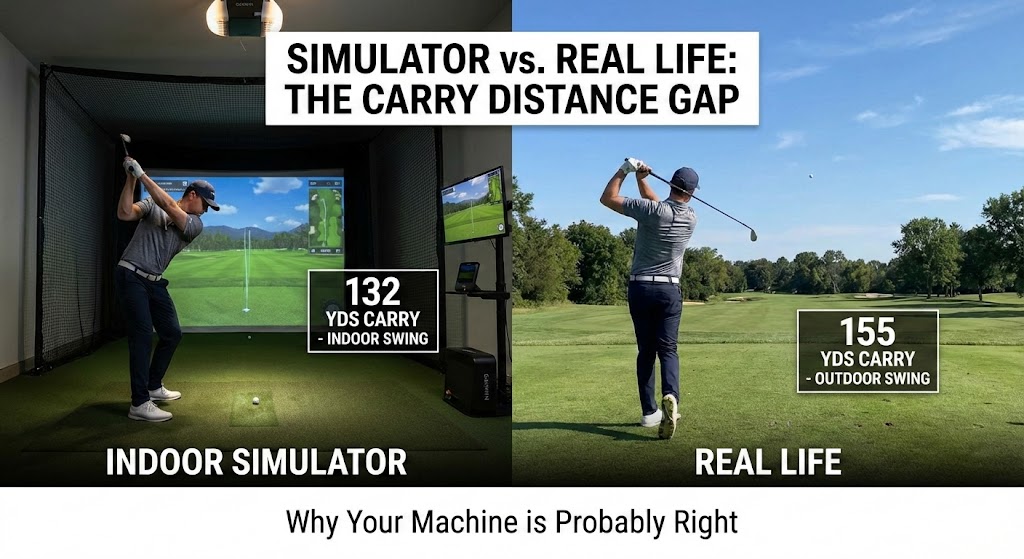
It is the most common post on every golf simulator forum. It goes something like this:
“I just bought a Garmin R10. I usually hit my 7-iron 155 yards. I set up the unit, hit a pure shot, and it said 132 yards. This thing is broken. I’m returning it.”
I call this “The Ego Gap.”
When I built my first sim, I went through the same panic. I thought my unit was defective. I spent hours recalibrating it, moving the tripod, and messing with lighting.
But after months of testing and comparing data against commercial Trackman units, I learned a hard truth: The machine isn’t broken. Your indoor swing is different.
If your simulator numbers look short, it is likely due to one of these four “Lab Factors.”
Factor 1: Indoor Swing Syndrome (The “Wall Flinch”)
We talked about this in our Swing & Duck Safety Test, but it plays a huge role in distance, too.
When you are outside, you have the sky above you and a fairway in front of you. You swing freely.
When you are in a garage, you are surrounded by walls, a ceiling, and expensive electronics. Even if you think you have enough clearance, your subconscious brain creates a “safety governor.”
- The Result: You subtly slow down your swing speed to ensure you don’t hit the wall.
- The Math: A decrease of just 3 MPH in clubhead speed can result in a loss of 6-10 yards of carry. You feel like you crushed it, but the radar sees a timid swing.
Factor 2: The “Mat Effect” (The Fat Shot Lie)
This is the number one technical reason for distance loss.
On the Course: If you hit the ball slightly “fat” (hitting the ground 1 inch behind the ball), the club digs into the dirt. The clubhead speed drops instantly. The ball goes 20 yards. You know you messed up.
On a Simulator Mat: Synthetic turf is bouncy. If you hit 1 inch behind the ball, the clubhead skips off the plastic turf and slides into the ball.
- The Feel: It feels like a pure strike.
- The Reality: You actually struck the ball high on the face with reduced energy transfer. The launch monitor reads the lower ball speed and gives you a 130-yard shot.
- The User Reaction: “I flushed that! Why did it go nowhere?!” (Narrator: You did not flush it.)
The Fix: If you want realistic punishment, you need a “Divot Action” strip or a specialized mat like the Country Club Elite that grabs the club if you hit it fat.
Factor 3: Carry vs. Total (The Ego Check)
Ask a golfer how far they hit their driver. They will say, “250 yards.” Usually, that means they hit it 225 yards in the air, and it rolled out 25 yards on a dry summer fairway.
Simulators measure CARRY. Most software defaults to showing you exactly where the ball landed, not where it rolled to.
- If you see “225 Yards” on the screen, that is actually your correct real-world number. You are just used to adding the “summer roll” in your head.
Factor 4: The “Spin Estimate” (For Radar Units)
If you are using a budget radar unit like the Garmin Approach R10 or Mevo+, spin is the hardest thing to measure indoors.
- The Problem: To measure spin accurately, a radar needs to see the ball fly for ~30+ yards. In a garage, it sees 8 feet of flight.
- The Algo: If the unit isn’t 100% sure, it “estimates” the spin based on your launch angle and club speed.
- The Result: Sometimes it over-estimates backspin. Too much backspin kills distance (the ball balloons up and drops). If your R10 thinks you put 8,000 RPM on a 6-iron, it will show a distance loss of 10-15 yards.
The Fix: Use “RCT Balls” (Titleist Radar Capture Technology). These have metal embedded under the skin that helps radars see the spin indoors.
How to “Fix” The Numbers (Without Cheating)
If you have checked all the above—you are swinging fast, hitting ball-first, and using RCT balls—and it is still short, you can adjust the environment.
1. Check the Elevation
Most software defaults to “Sea Level.” If you live in Denver (mile-high city), your ball flies 10% further in real life due to thin air.
- Action: Go into GSPro/E6 settings and set the altitude to your actual city’s elevation.
2. The “Boost” Button (Use Caution)
GSPro and other software allow you to add a global “Boost” to ball speed or carry.
- Lab Recommendation: Don’t do it. It’s a slippery slope. If you boost it 5% to match your “ego numbers,” you are training yourself to swing slower. Adapt to the reality of the numbers, and use the sim to improve your actual speed.
Summary Verdict
Your simulator is a truth-teller. It doesn’t care about your handicap or your ego.
If the numbers are short, do not return the unit.
- Check your impact: Are you bouncing off the mat?
- Check your confidence: Are you “Indoor Swinging”?
- Check your metric: Are you looking at Carry or Total?
Trust the data. If you can hit it 150 yards in a garage, you will hit it 165 yards on the course. And that is a good problem to have.